
Adding a new user to Google Analytics is quick and simple. Whether you are bringing in an agency, onboarding a new team member or giving someone temporary access, GA4 makes it easy to share the right level of permissions without risking your account security. This guide shows the current process for 2025.
Understanding access levels in GA4
Before adding someone new, choose the level of access they actually need.
Account level
Gives access to everything in the account. Use this only for people who manage the full setup.
Property level
Gives access to a single website or app. This is the most common option for businesses.
Data stream level
The closest equivalent to Views from Universal Analytics and useful when limiting access to specific web or app data.
How to add a new user in Google Analytics 4
Step 1
Log in to Google Analytics at analytics.google.com.
Step 2
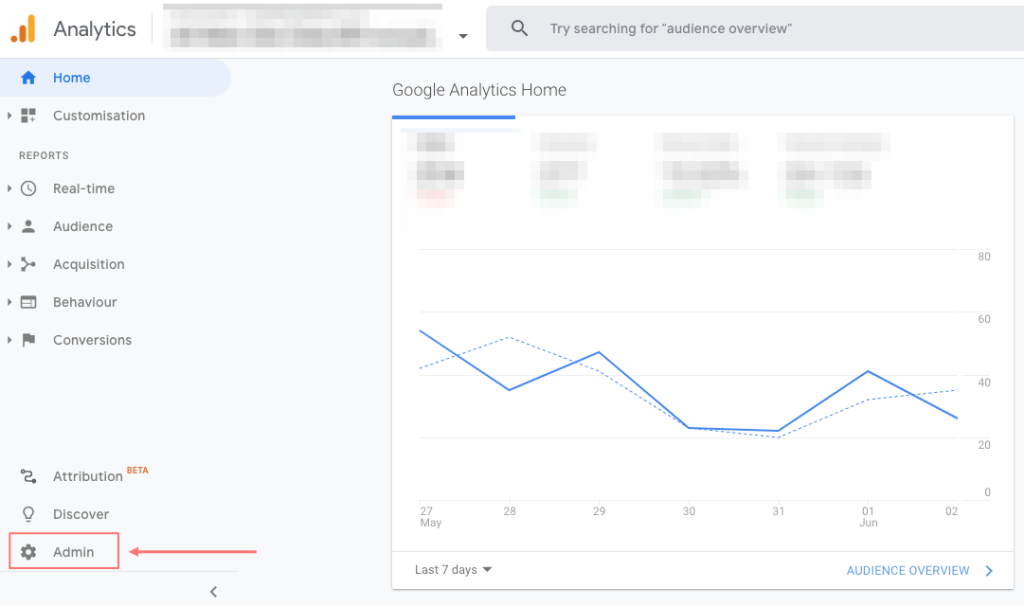
Click the Admin icon at the bottom left of the menu.
Step 3
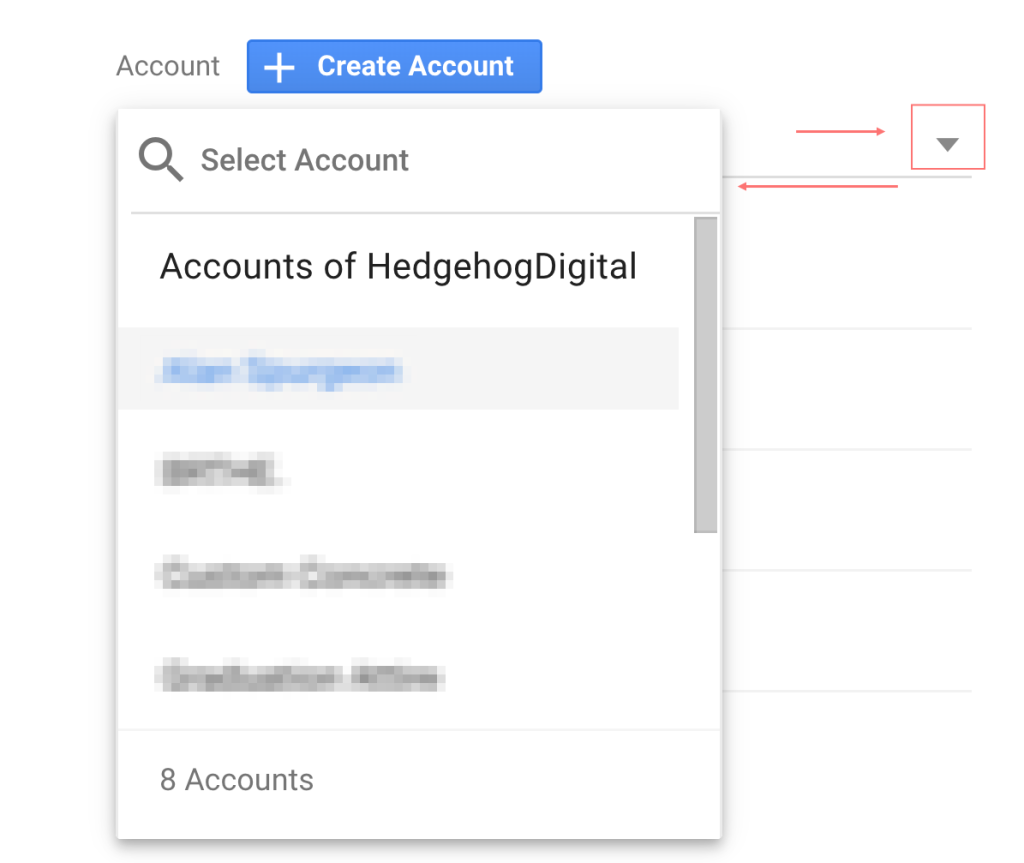
Choose the correct Account and Property. If you only manage one website it will already be selected.
Step 4
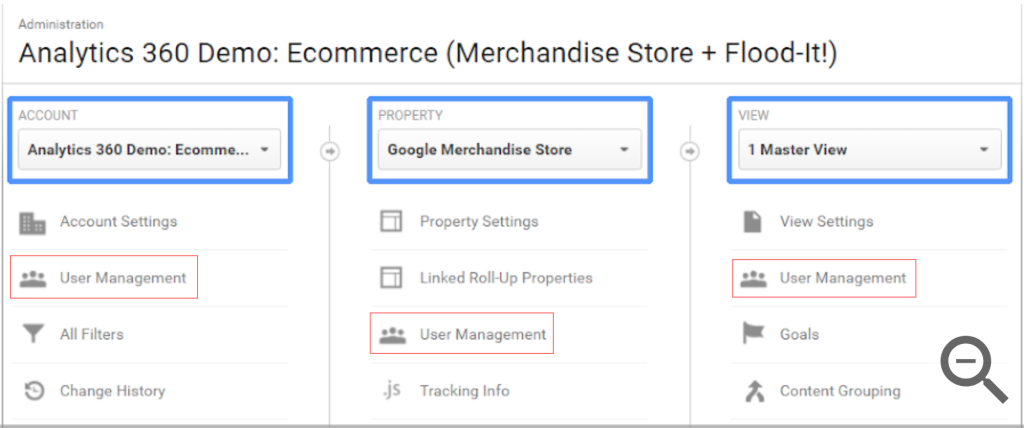
Select Account Access Management or Property Access Management depending on how much access you want to give.
Step 5
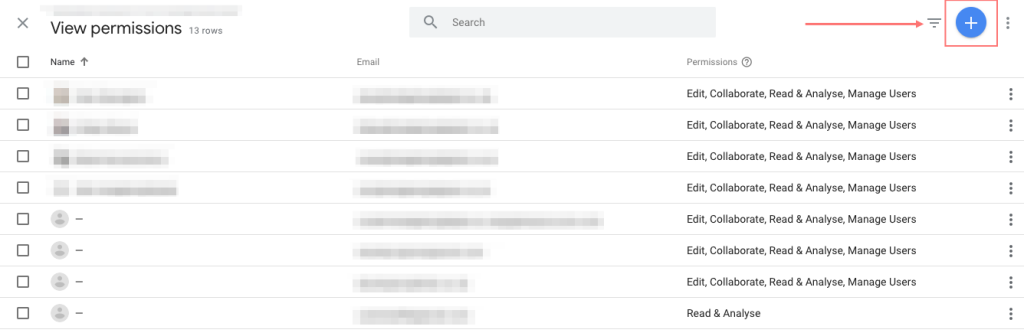
Click the blue plus button at the top right and choose Add users.
Step 6
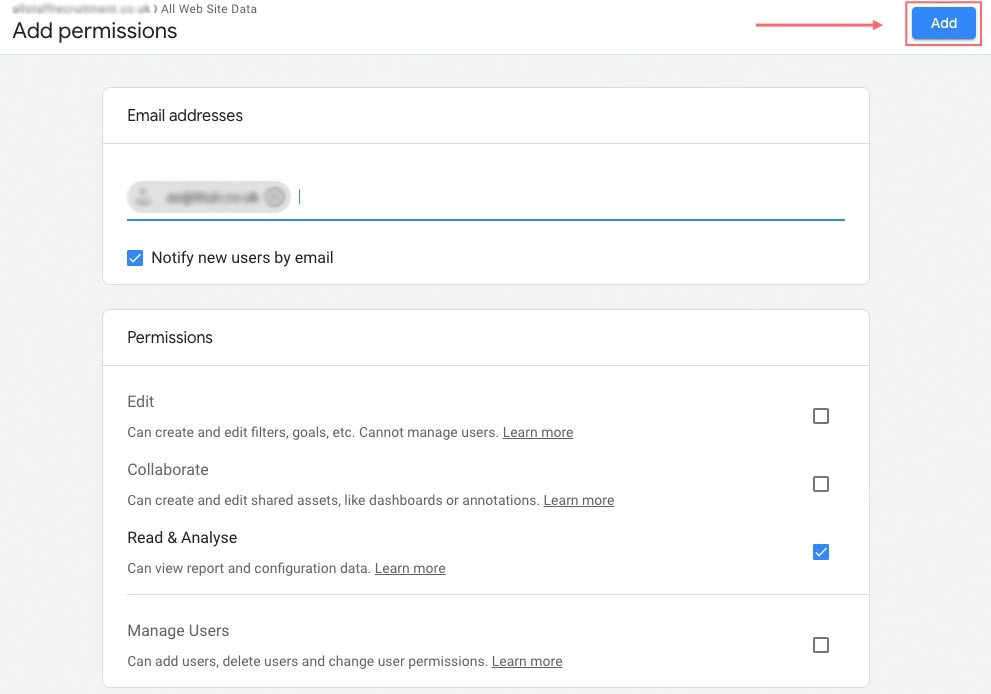
Enter the email address of the person you want to add. Their email must be linked to a Google account.
Step 7
Tick Notify new users by email so they receive an instant invitation.
Step 8
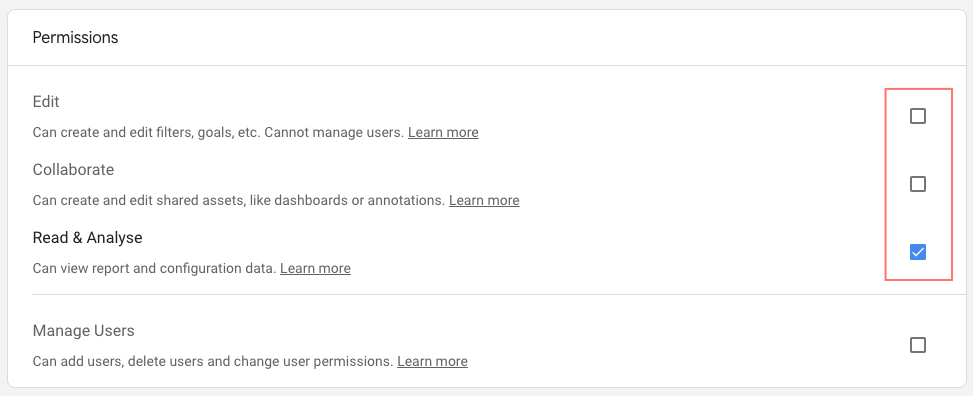
Assign the correct permissions. Options include Viewer, Analyst, Editor and Administrator. If unsure, start with Viewer and upgrade later if needed.
Step 9
Click Add. The new user now has access and will receive an email confirming their invitation.
Tips for managing access safely
Give the minimum permissions needed for someone to do their job.
Use business email addresses for better security.
Remove users who no longer need access.
Review permissions regularly to keep your account organised.
Final thoughts
Adding a user to GA4 is easier and more secure than in earlier versions of Google Analytics. By following the steps above you can share access quickly, safely and with full control over what each person can see and do. If you would like help managing your GA4 setup or checking access permissions, feel free to get in touch.
